VOS.VirtAuthFOAFSSLACL
FOAF+SSL ACLs Tutorial
Why FOAF+SSL?
FOAF+SSL is implementation of a conceptual authentication and authorization protocol that links a Web ID to a public key to create a global, decentralized/distributed, and open yet secure authentication system that functions with existing browsers.
How is the FOAF+SSL ACLs UI accessible from ?
It is accessible from the URL http://cname:port/auth_policy and then click the link FOAF+SSL ACLs.
-
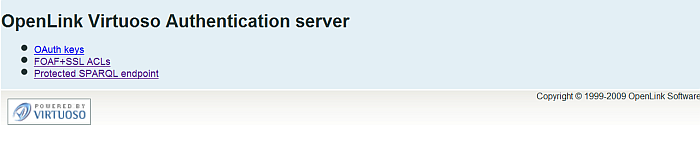
- Note: You need to log in as dba user
What can I use the FOAF+SSL ACLs for?
Using a proper FOAF+SSL Certificate and also with set proper Web ID you can view the result at the Virtuoso SPARQL-SSL endpoint.
What is the SPARQL-SSL Endpoint?
The SPARQL-SSL Endpoint is https://cname:port/sparql-ssl
Sample scenario
The following sample scenario demonstrates setting FOAF+SSL ACLs using the VIrtuoso Authenticaion Server UI:
- Install the ods_framework_dav.vad, conductor_dav.vad and oauth_dav.vad packages.
- Using the ODS UI register ODS user for ex. demo.
- Go to http://cname:port/auth_policy/
- Click the "FOAF+ACLs" link
- Log in as dba user
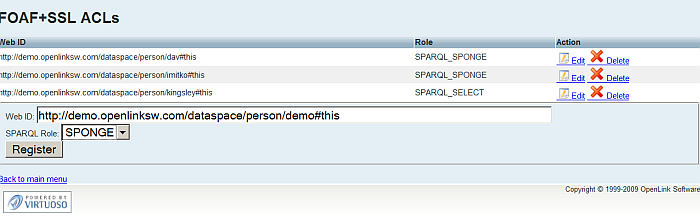
- In the shown form:
- Enter for Web ID for ex.:
http://demo.openlinksw.com/dataspace/person/demo#this
- Select "SPARQL Role" for ex. "Sponge".
- Enter for Web ID for ex.:
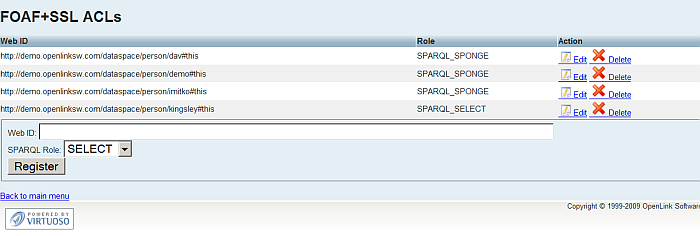
- Click the "Register" button.
- As result the FOAF+SSL ACLs will be created.
-
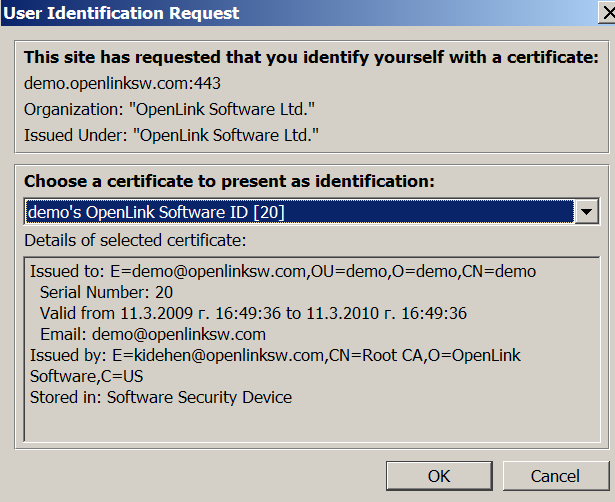
- Go to the SPARQL+SSL endpoint https://cname:port/sparql-ssl
- Select the user's certificate
-
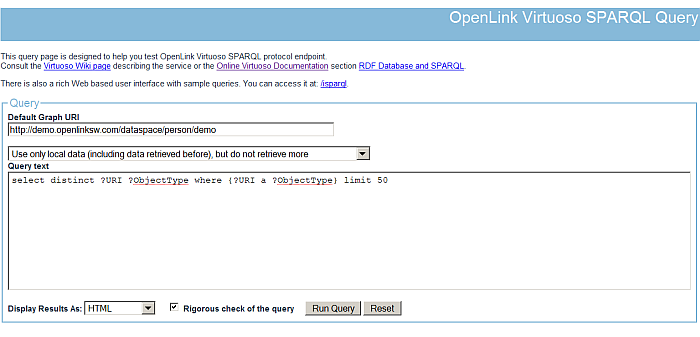
- As result the SPARQL Query UI will be shown:
-
References
- Set FOAF+SSL ACLs using the Virtuoso Authentication Server UI
- SPARQL OAuth Tutorial
- Use FOAF+SSL for enhanced ODS-Briefcase (WebDAV) Access Control Lists (ACLs)
- FOAF+SSL Support in OpenLink Data Spaces.
- Guide for Set up a X.509 certificate issuer and HTTPS listener and generate ODS user certificates.
- CA Keys Import using Conductor
- FOAF+SSL Specification
- Test FOAF+SSL Certificate page
- FOAF+SSL Certificate Generation page
- Virtuoso Demo SPARQL-SSL Endpoint
CategoryFOAF CategoryVirtuoso CategoryODS CategoryRDF