Virtuoso Server Authentication UI
The Virtuoso Server Authentication UI offers --
- Application Keys and a Protected SPARQL Endpoint: OAuth ("Open Authorization") is used to secure your SPARQL endpoint at the data transmission level. This enables secure interactions with your RDF database from a variety of locations. It also allows controlled access to private data, by selected user profiles.
- WebID? Protocol ACLs: The WebID? Protocol implements a global, decentralized, distributed, and open yet secure authentication system that functions with existing browsers. Conceptual authentication and authorization is handled by linking a Web ID (also known as a Personal URI) to a public key.
WebID? Protocol ACLs may then be used to designate which users (identified and authenticated through their Web ID, Public Key, and browser-installed Certificate) may execute queries through the Virtuoso SPARQL-WebID? Endpoint.
Usage
Prerequisites
- A functioning Virtuoso Server
- Installation of the following packages on that Server:
Setting Web ID ACLs (Access Control Lists)
WebID? Protocol ACLs are used to control DB-level CRUD functionality -- i.e.,INSERT (Create), SELECT (Read), UPDATE, and DELETE.
Permissions are granted using the standard database model of "Users", "Groups", and "Roles".To set your own WebID? Protocol ACLs:
- Go to
http://<cname>:<port>/conductor, where<cname>:<port>are replaced by your local server values - Log in as the
dbauser. - Drill down to Linked Data -> Access Control -> SPARQL-WebID?:
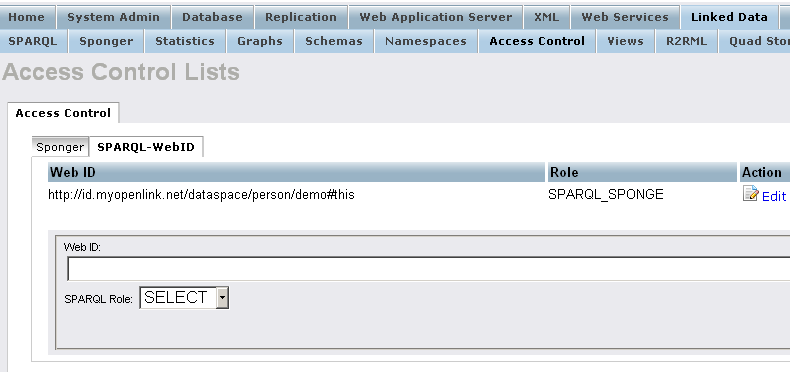
Example
- Create SPARQL-WebID based Endpoint
- Execute the steps from this tutorial
Setting ODS Application OAuth keys
OAuth Keys are used to create the Consumer Key and Secret for relevant ODS applications.
To set ODS Application OAuth keys:
- Go to
http://<cname>:<port>/ods, where<cname>:<port>are replaced by your local server values - Click Login
- Log in with a normal ODS User's credentials.
- Click the link for Application settings:
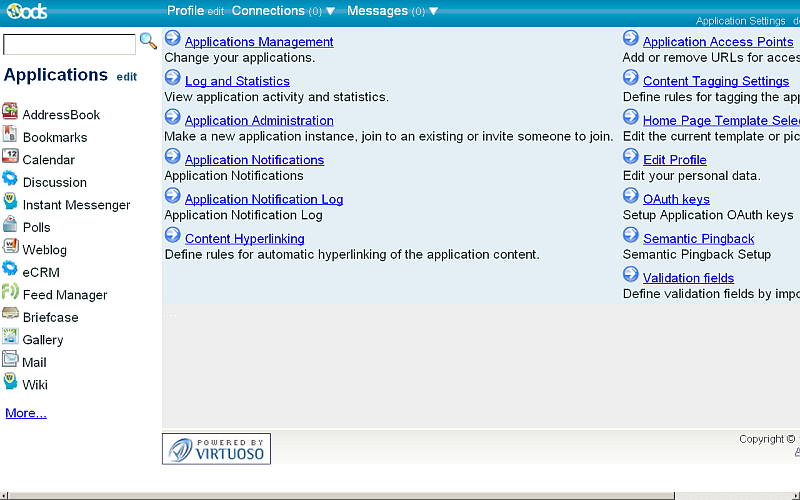
- Click the link for OAuth keys:
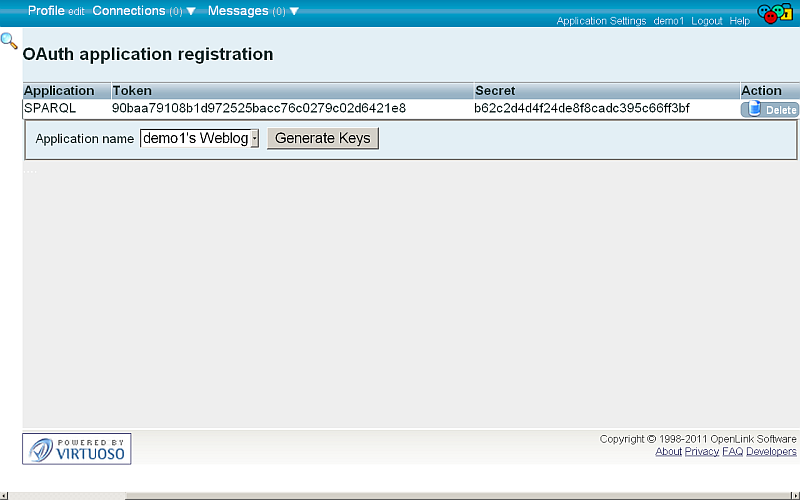
Example
This sample scenario shows how to set ODS Application OAuth Keys, and how to then use an application Consumer Key to perform secure SPARQL queries.
The Virtuoso SPARQL-WebID? Endpoint
The Virtuoso SPARQL-WebID? Endpoint is at https://<cname>:<port>/sparql-webid, where <cname>:<port> are replaced by your local server values.
Tutorials
References
- Safeguarding your Virtuoso-hosted SPARQL Endpoint
- SPARQL Endpoint Protection Methods Collection
- Virtuoso documentation
- Virtuoso Tips and Tricks Collection
- SPARUL over SPARQL using the http://cname:port/sparql-auth endpoint
- Virtuoso Authentication Server UI
- Manage a SPARQL-WebID based Endpoint
- Configure Virtuoso instance as an X.509 Certificate Authority and HTTPS listener
- Configure Virtuoso+ODS instance as an X.509 Certificate Authority and HTTPS listener
- WebID Protocol Support in OpenLink Data Spaces.
- Manage ODS Datadspaces Objects WebID? Access Control Lists (ACLs):
- Guide for Set up a X.509 certificate issuer and HTTPS listener and generate ODS user certificates.
- Setting up PubSubHub in ODS
- PubSubHubBub Demo Client Example
- Feed subscription via PubSubHub protocol Example
- Setting Up PubSubHub to use WebID Protocol or IP based control lists
- CA Keys Import using Conductor
- Generate an X.509 Certificate hosted WebID Guide
- Generate an X.509 Certificate (with a WebID watermark) to be managed by host operating system keystore
- Generate an X.509 Certificate (with a WebID watermark) to be managed by a browser-based keystore
- Using Virtuoso's WebID Verification Proxy Service with a WebID-bearing X.509 certificate
- Using Virtuoso's WebID Identity Provider (IdP) Proxy Service with an X.509 certificate
- ODS Briefcase WebID Protocol Share File Guide
- WebID Protocol Specification
- Test WebID Protocol Certificate page
- WebID Protocol Certificate Generation page
CategoryVirtuoso CategorySPARQL CategoryODS CategoryOAuth CategoryFOAFSSL